

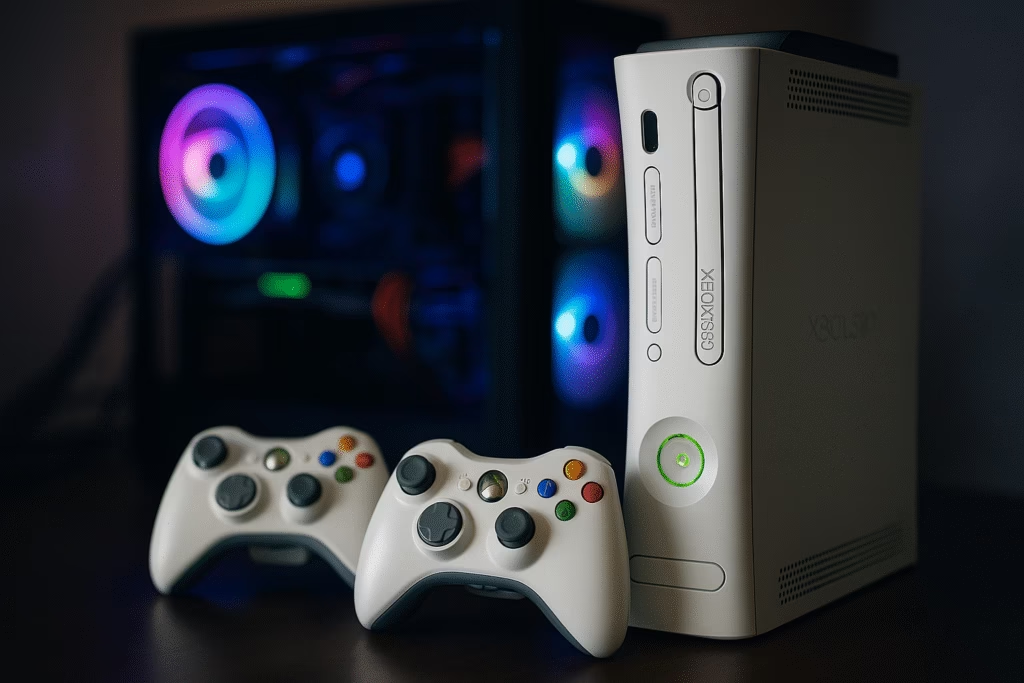
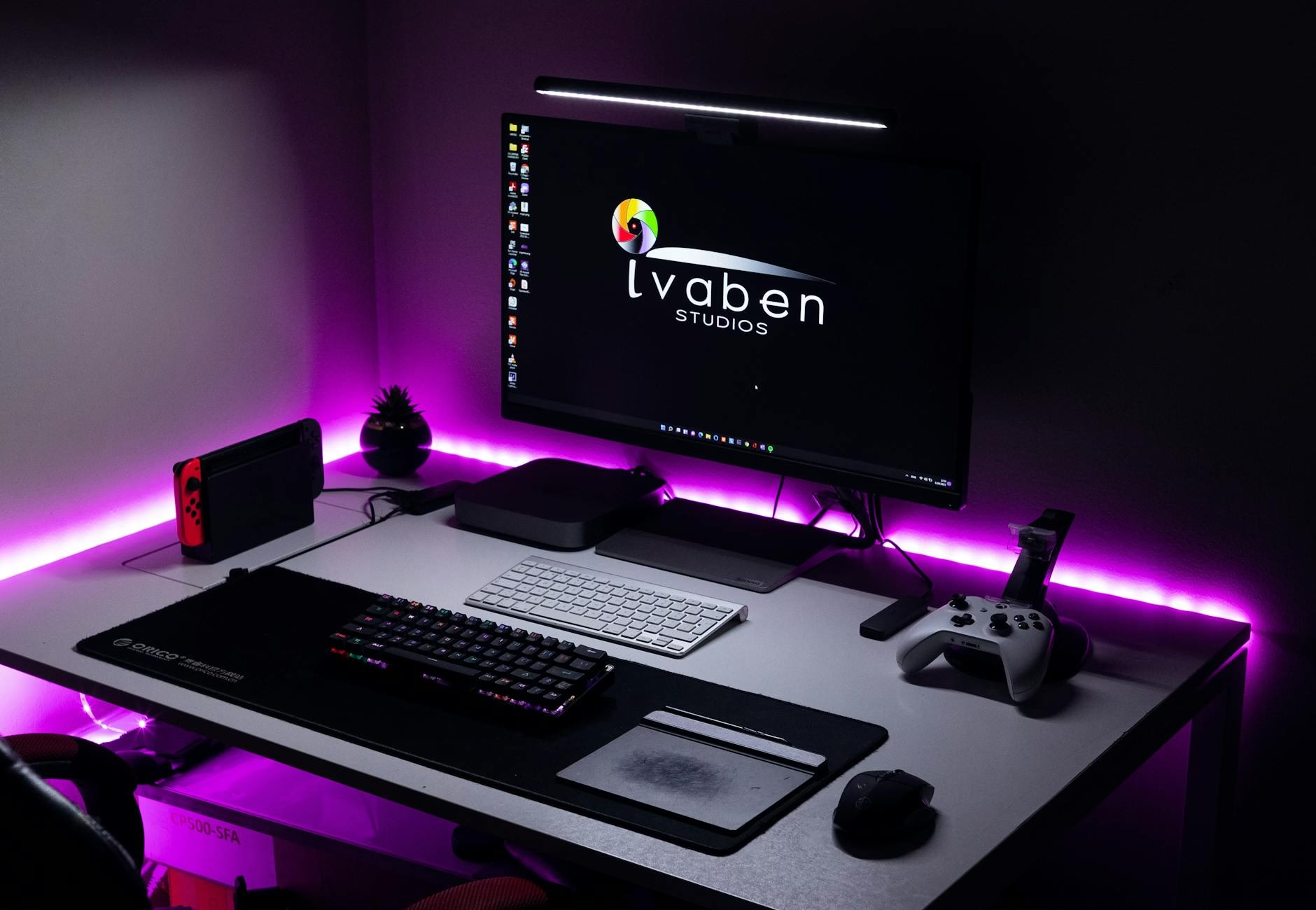

Imagine descending into your personal sanctuary after a grueling day, where the soft hum of your Xbox Series X or Series S greets you like an old friend. The lighting is perfectly synced to your dashboard, your controller sits in a custom-molded dock, and your monitor is positioned at the exact millimeter required for peak ergonomic comfort. This isn’t just a place to play; it is a high-performance cockpit designed for total immersion.
If you are looking for the perfect gaming desk setup for Xbox players, you are moving beyond the “console on a TV stand” era and into a world of curated aesthetics and competitive advantages. Whether you are a hardcore Gears of War veteran or a casual Forza horizon cruiser, the way you organize your physical space directly impacts your reaction time, your physical health, and your overall enjoyment of the hobby.
Table of Contents
- The Foundation: Choosing the Right Desk for Console Gaming
- Display Dynamics: Monitor vs. TV in a Desk Setup
- Cable Management: The War Against the “Spaghetti Monster”
- Ergonomics: Protecting Your Back for Long Sessions
- Lighting and Aesthetics: Creating the “Gamer” Vibe
- Audio Solutions: Headset Stands and Desktop Speakers
- Controller Stations: Storage and Charging Solutions
- Storage and Organization: Keeping the Clutter at Bay
- PC and Console Hybrid Setups: The Best of Both Worlds
- Frequently Asked Questions (FAQs)
- Conclusion
The Foundation: Choosing the Right Desk for Console Gaming
When building a gaming desk setup for Xbox players, the desk itself is your most critical investment. Unlike PC players who need massive mousepads for low-DPI aiming, Xbox players can often work with slightly more compact surfaces. However, you must consider the sheer size of the Xbox Series X. It is a “fridge-like” monolith that requires significant vertical clearance and massive airflow.
- Standing Desks: Many modern gamers are opting for motorized sit-stand desks. This allows you to stand during intense multiplayer matches to keep your blood flowing and sit during long, cinematic RPG sessions.
- L-Shaped Desks: These are perfect for hybrid players. You can have your Xbox setup on one wing and your work or study laptop on the other, creating a clear psychological boundary between “grind” and “play.”
- Depth Matters: Avoid shallow desks. You want at least 24 to 30 inches of depth to ensure your monitor isn’t sitting right against your face, which reduces eye strain during those 4-hour sessions.
To keep your desk surface clean and protected from the inevitable coffee spill or controller scuff, a SteelSeries QcM Heavy Gaming Mouse Pad provides a massive, soft landing zone for your hands and peripherals, ensuring everything stays in place during high-tension moments.
Display Dynamics: Monitor vs. TV in a Desk Setup
The biggest shift in the gaming desk setup for Xbox players over the last few years has been the move toward high-refresh-rate monitors. While a 65-inch OLED TV is great for the living room, a 27 or 32-inch monitor is the king of the desk setup.
- HDMI 2.1 is Essential: To take full advantage of the Xbox Series X, your monitor must support HDMI 2.1. This allows for 4K resolution at 120Hz. If you are on a Series S, a 1440p monitor with 120Hz support is the “sweet spot” for value.
- Input Lag: Monitors generally have lower input lag than TVs. In games like Halo Infinite or Call of Duty, those milliseconds are the difference between winning a gunfight and staring at a respawn screen.
- Curved vs. Flat: Curved monitors are excellent for immersion at a desk, as they wrap the peripheral vision around you, making the world of Starfield feel much more expansive.
Cable Management: The War Against the “Spaghetti Monster”
Nothing ruins a beautiful gaming desk setup for Xbox players faster than a tangled mess of black cables hanging from the back of the desk. Cable management is not just about looks; it is about protecting your ports. Constantly pulling on tangled wires can damage the HDMI port on your console, a costly and frustrating repair.
Start by using “J-channels” or under-desk trays to hold your power bricks. Use velcro ties instead of plastic zip ties; you will inevitably want to add a new accessory later, and velcro makes it easy to adjust your routing. A Baseus Magnetic Cable Organizer is a brilliant addition to any desk, keeping your USB-C charging cables for your controllers from sliding off the back of the desk when not in use.
Ergonomics: Protecting Your Back for Long Sessions
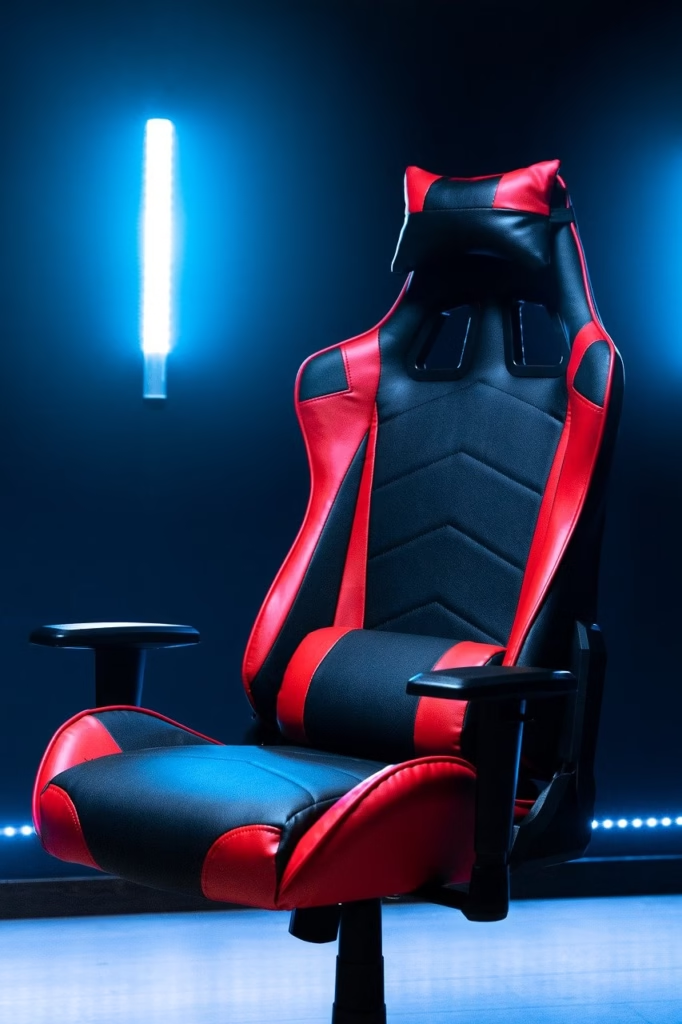
As an Xbox player, you likely play with a controller, which allows you to lean back more than a mouse-and-keyboard player. However, this often leads to “gamer slouch.” Your chair is the most important piece of health equipment in your room.
- Lumbar Support: Look for a chair with adjustable lumbar support to maintain the natural curve of your spine.
- Neck Pillows: These help prevent “tech neck,” where your head leans forward toward the screen.
- Armrest Height: Your armrests should be level with your desk so your shoulders can stay relaxed while you hold your controller.
Lighting and Aesthetics: Creating the “Gamer” Vibe
The “Xbox Green” aesthetic is a classic choice for a gaming desk setup for Xbox players, but modern RGB allows for much more. Smart lighting can actually improve your gameplay by reducing eye strain through “bias lighting.” This involves placing LED strips behind your monitor to project light onto the wall, which softens the contrast between the bright screen and a dark room.
Consider Govee or Philips Hue strips that can sync with your screen’s colors. When the desert sun in Forza shines, your whole room glows warm orange; when you dive into the deep ocean in Sea of Thieves, your room turns a cool turquoise. This level of environmental immersion is a hallmark of a professional-grade setup.
Audio Solutions: Headset Stands and Desktop Speakers
While many Xbox players rely solely on headsets, a desk setup allows for high-quality near-field monitors (speakers).
- Headset Stands: Don’t just toss your expensive headset on the desk. A dedicated stand keeps the earcups from getting dusty and prevents the headband from losing its shape.
- Desktop Speakers: If you want to play without a headset, a pair of compact powered speakers like the Creative Pebble V3 provides excellent “bang for your buck” audio that fits perfectly under the corners of your monitor.
Controller Stations: Storage and Charging Solutions
The centerpiece of any gaming desk setup for Xbox players is the controller. Since the Xbox controller still uses AA batteries out of the box, most desk users opt for a rechargeable battery pack and a docking station.
A dual-charging dock not only keeps your controllers at 100% but also serves as a display piece. If you have a “Design Lab” custom controller or an Elite Series 2, you want it to be visible. Placing your dock right in front of your console creates a balanced, symmetrical look that is very popular in “Battlestation” photography.
Storage and Organization: Keeping the Clutter at Bay
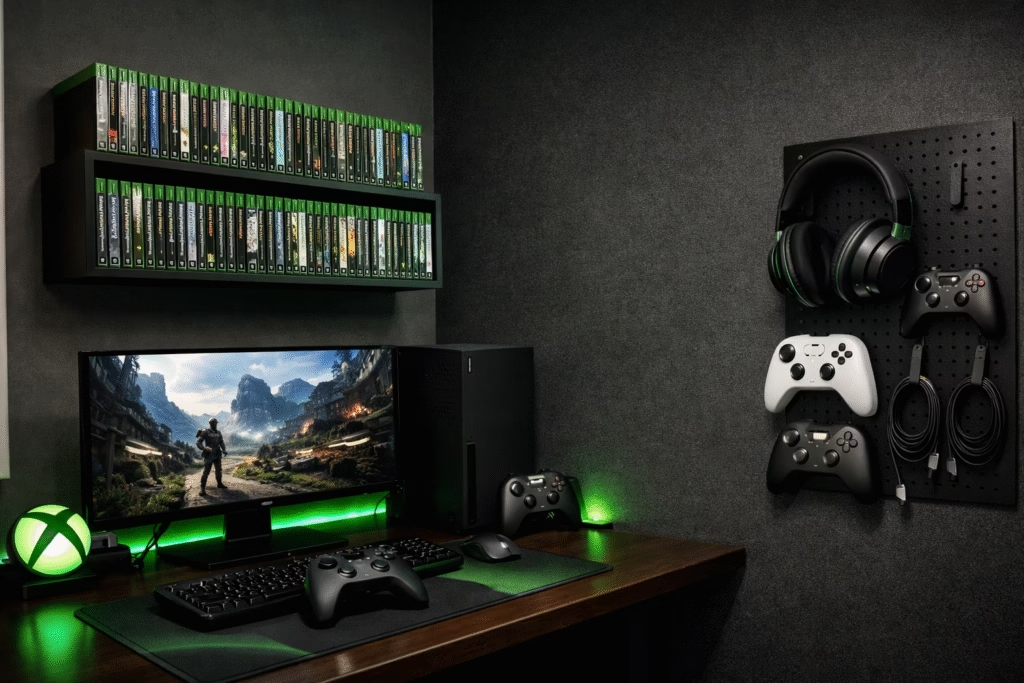
Xbox players often have physical game collections or external hard drives (like the Seagate Expansion Card).
- Pegboards: IKEA Skådis pegboards have become a staple for a reason. They allow you to hang your controllers, headsets, and even spare cables on the wall, freeing up valuable desk real estate.
- Under-Desk Drawers: These are great for storing extra batteries, microfiber cloths for cleaning your screen, and your TV remote.
- Shelving: Floating shelves above the monitor are the perfect place to display Xbox-related collectibles, such as Master Chief helmets or limited edition consoles.
PC and Console Hybrid Setups: The Best of Both Worlds
Many gamers today use the same desk for their PC and their Xbox. This requires a bit of clever switching.
- KVM Switches: These allow you to use the same keyboard and mouse (if you play KBM on Xbox) for both devices with a single button press.
- Multiple Inputs: Ensure your monitor has at least two HDMI ports and one DisplayPort so you don’t have to constantly swap cables behind the screen.
- Audio Mixing: Using a small mixer or an Astro MixAmp allows you to hear audio from both your PC (for Discord chat) and your Xbox (for game sound) simultaneously through one headset.
Frequently Asked Questions (FAQs)
1. Is a curved monitor better for Xbox gaming at a desk?
Yes, for many players. A 1000R or 1500R curve helps with immersion and reduces eye strain because the edges of the screen are the same distance from your eyes as the center.
2. How do I prevent my Xbox Series X from overheating on a desk?
The Series X pulls air from the bottom and pushes it out the top. Ensure there are at least 4-6 inches of clearance above the top fan and do not place it in a closed cabinet.
3. Can I use a regular office chair for gaming?
Absolutely. Many high-end office chairs (like those from Herman Miller) offer better ergonomic support than “racing-style” gaming chairs.
4. What is the best desk size for an Xbox setup?
A desk that is 55 inches wide and 24 inches deep is usually the minimum comfortable size for a monitor, console, and accessories.
5. Should I get a 4K or 1440p monitor for my Xbox?
If you have a Series X, go for 4K. If you have a Series S, 1440p is the native target for many games and will look much sharper than 1080p.
6. How do I sync my room lights with my Xbox?
You can use the Philips Hue Play Sync Box or Govee’s camera-based systems to match your room’s LED strips with whatever is happening on your screen.
7. Is a wired internet connection necessary for a desk setup?
It is highly recommended. If your desk is near your router, running an Ethernet cable will significantly reduce lag and “ping spikes” compared to Wi-Fi.
8. Do I need a special desk for a heavy monitor arm?
Ensure your desk is made of solid wood or high-quality MDF. Avoid “honeycomb” cardboard desks (like some budget IKEA options) if you plan on clamping a heavy monitor arm to them.
9. Can I use my PC speakers with my Xbox?
Yes, as long as your monitor has a 3.5mm “Audio Out” jack, you can plug your speakers directly into the monitor to get sound from the Xbox.
10. How do I hide the big power brick of the Xbox?
The Series X and S actually have internal power bricks! You only have a simple cable to hide. If you have an older Xbox One, use an under-desk cable management tray to hide the “brick.”
Conclusion
Building the ultimate gaming desk setup for Xbox players is a journey of constant refinement. It starts with a solid foundation and ends with the small, personal touches—the lighting, the organization, and the ergonomic adjustments—that make the space truly yours. By prioritizing airflow for your console and comfort for your body, you ensure that your gaming sessions remain a source of joy rather than a literal pain in the neck.