


Your gaming setup is almost perfect. The 4K monitor is glowing, your PC or console is humming quietly, and your cable management is a work of art. But then, you look down at your desk. Your $150 Elite controller is upside down on a pile of papers, and your backup pad is precariously balanced on the edge of a shelf. It feels wrong. Your gear deserves a throne, not a graveyard. Finding the best Xbox controller stands & holders is the final step in evolving from a “player” to a “collector.”
In the modern gaming era, a stand is no longer just a piece of plastic. It is a utility tool that keeps your batteries topped off, a display piece that showcases your custom shells, and a space-saver that reclaims your desk real estate. Whether you want a high-tech magnetic charging dock or a 3D-printed masterpiece that looks like a piece of modern art, the market in 2025 has finally caught up to the demands of the hardcore Xbox community. Let’s dive into the elite options that will transform your gaming station from cluttered to curated. (If you want to setup your gaming room like a pro, then click here).
Table of Contents
- The Evolution of the Controller Stand
- Best Overall Charging Stands for Xbox
- Premium Display Stands for Collectors
- Multi-Device Holders and Desk Organizers
- Wall-Mounted and Space-Saving Solutions
- Mobile Gaming Clips and On-the-Go Holders
- What to Look for: Grip, Weight, and Material
- Maintenance: Keeping Your Stands Pristine
- Comparing Top Brands: Razer vs. PowerA vs. 8BitDo
- Frequently Asked Questions (FAQs)
The Evolution of the Controller Stand
Gone are the days when a “holder” was just a bent piece of wire. Today, the best Xbox controller stands & holders are engineered with the same precision as the controllers they hold. We have seen a shift toward “functional aesthetics,” where the stand matches the specific color and texture of the official Xbox Series X|S peripheral line.
The rise of “Pro” controllers like the Elite Series 2 or the Razer Wolverine V3 has also changed the game. These controllers are heavier and feature back paddles that can be damaged if left lying flat on a hard surface. A proper stand ensures that no pressure is put on the sensitive triggers or paddles, extending the life of your most expensive hardware.
Best Overall Charging Stands for Xbox
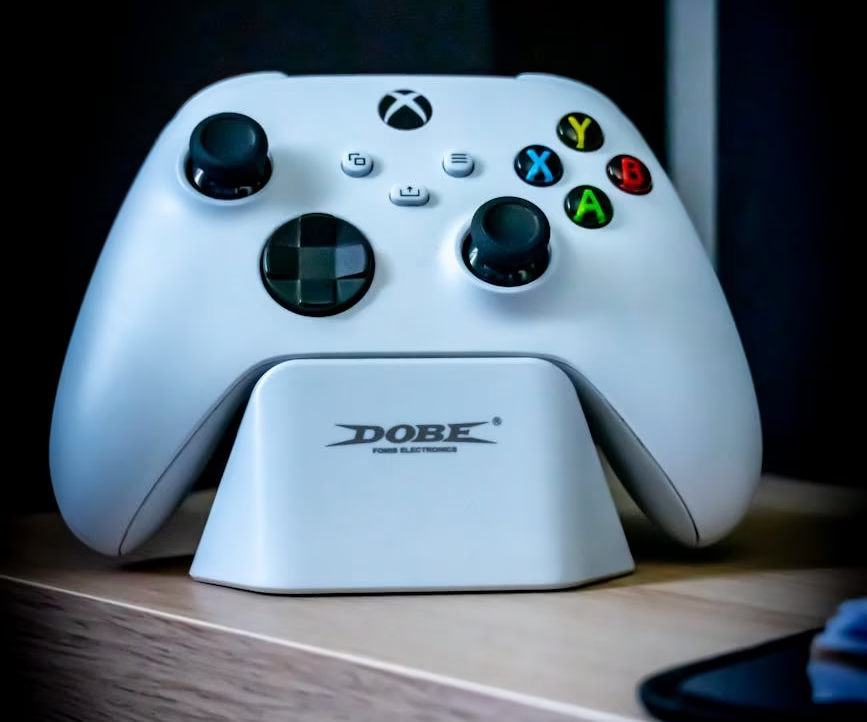
If you hate seeing “Low Battery” notifications in the middle of a boss fight, a charging stand is non-negotiable. The current leader in this category is the Razer Universal Quick Charging Stand for Xbox. What makes this stand elite is its magnetic contact system. You don’t have to fiddle with USB-C ports in the dark; you simply drop the controller onto the dock, and it snaps into place perfectly.
For those on a tighter budget, the PowerA Dual Charging Station is a fantastic alternative. It allows you to charge two controllers simultaneously and includes two rechargeable battery packs. This is particularly useful for households with multiple gamers or for those who keep a backup controller ready to swap at a moment’s notice.
Premium Display Stands for Collectors
Not everyone needs a charger. If you have a collection of Limited Edition or Xbox Design Lab controllers, you want a stand that disappears and lets the art shine. Clear acrylic stands are the trend for 2025. These “ghost” stands provide a floating effect, making your setup look like a museum display.
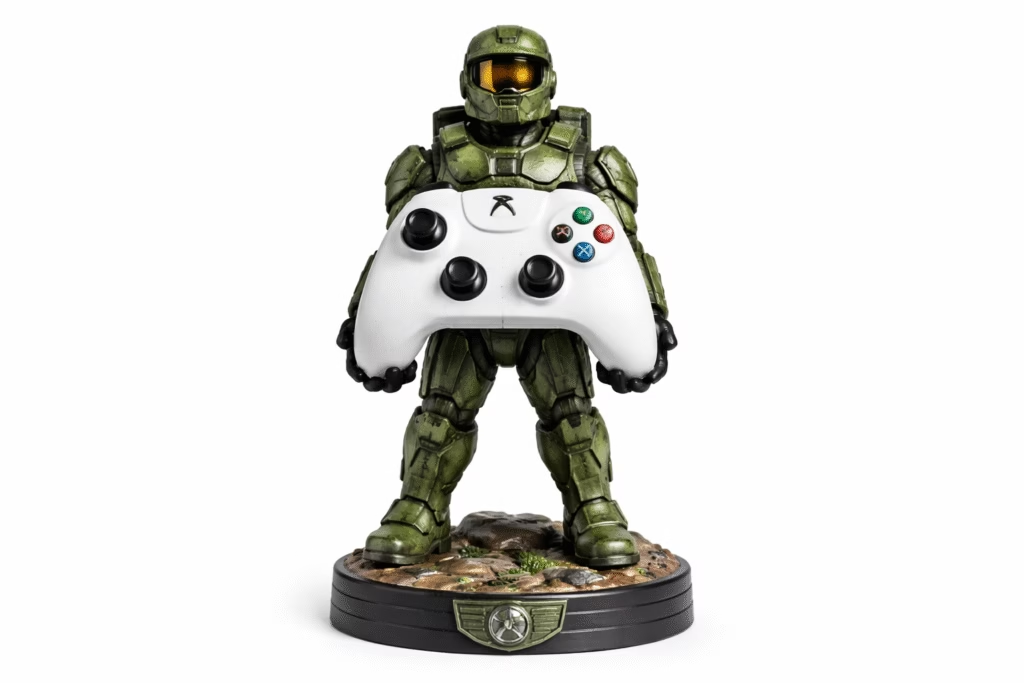
On the other end of the spectrum are themed stands. From 3D-printed “melting” effects to stands shaped like Master Chief’s hand, these are statement pieces. If you want something that feels heavy and premium, the Cable Guys Device Holder series is a fan favorite. These are sturdy figurines that can hold your controller or even your smartphone, adding a layer of personality to your desk that a standard dock simply can’t match.
Multi-Device Holders and Desk Organizers
If your desk is a battlefield of peripherals, a multi-device holder is the strategy you need. These units often feature slots for two controllers, a headset hanger, and even a compartment for your TV remote or extra AA batteries.
The best Xbox controller stands & holders in this category often utilize a vertical tower design. By stacking your gear vertically, you save horizontal space for your mousepad and keyboard. Many of these organizers now feature built-in USB hubs, allowing you to charge your phone or wireless headset from the same unit that holds your controllers.
Wall-Mounted and Space-Saving Solutions
For the ultimate minimalist, the desk should be empty. Wall-mounting your controllers is a great way to turn your gear into wall art. Adhesive-based holders have improved significantly, using 3M Command strips that can hold the weight of an Elite controller without damaging your paint.
Alternatively, under-desk hangers are gaining popularity. These clips allow you to “hide” your controller beneath the desk surface when it’s not in use. It keeps the controller within arm’s reach but out of sight, which is perfect for gamers who use their setup for professional work during the day.
Mobile Gaming Clips and On-the-Go Holders
With the success of Xbox Cloud Gaming (xCloud), your phone is now an Xbox screen. The best Xbox controller stands & holders for mobile players are clips that attach your phone directly to the controller.
- Adjustability: Look for clips with dual-axis tilt so you can avoid glare.
- Balance: A good holder centers the weight of the phone over the controller to prevent wrist fatigue.
- Protection: Ensure the clip has rubber padding so it doesn’t scratch your controller’s faceplate.
What to Look for: Grip, Weight, and Material
When shopping for the best Xbox controller stands & holders, do not be fooled by cheap plastic imitations. A stand that is too light will slide around your desk every time you try to dock your controller.
- Anti-Slip Base: Look for silicone or rubberized feet.
- Weighted Core: A stand with an internal metal weight feels more premium and stays put.
- Contoured Cradle: The part that touches the controller should match the Xbox’s ergonomics to prevent it from wobbling or falling out.
Maintenance: Keeping Your Stands Pristine
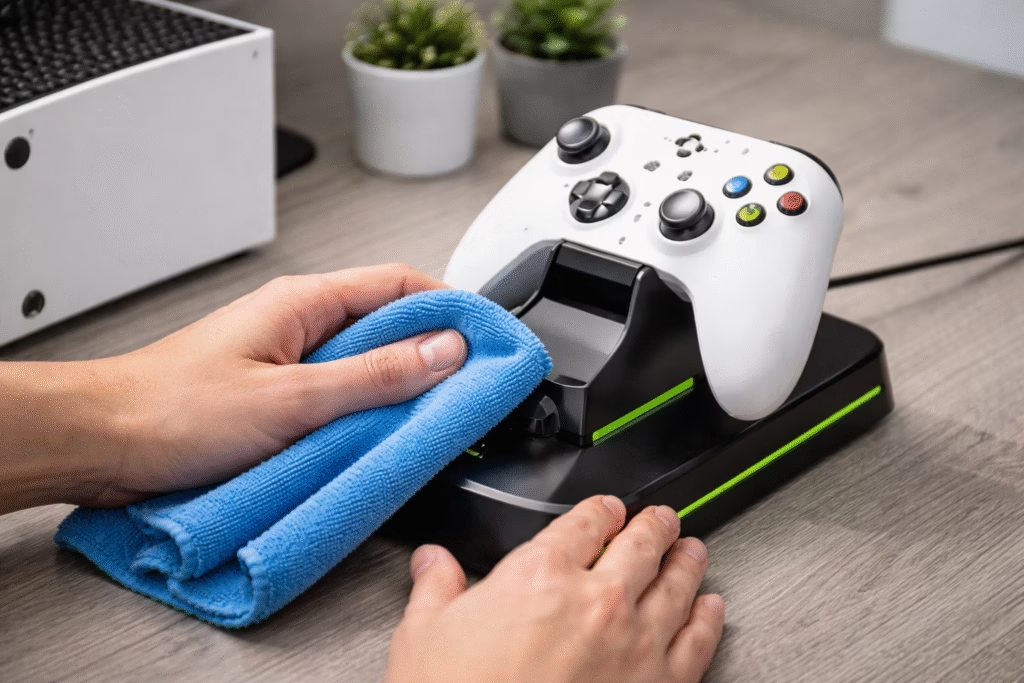
Since stands are stationary, they are massive dust magnets. For acrylic or glossy plastic stands, avoid using paper towels, as they can cause micro-scratches over time. Instead, use a clean microfiber cloth.
If you have a charging stand, the copper contact pins can eventually oxidize or collect oils from your hands. Every few months, take a cotton swab dipped in a tiny amount of high-percentage rubbing alcohol and gently wipe the pins. This ensures that the electrical connection remains strong and your charging times don’t slow down.
Comparing Top Brands: Razer vs. PowerA vs. 8BitDo
Each major brand has a specific “identity” when it comes to the best Xbox controller stands & holders.
- Razer: Focuses on speed and aesthetics. Their stands are often color-matched to official Xbox releases (like Electric Volt or Pulse Red).
- PowerA: The king of value. They offer officially licensed products that are reliable and affordable.
- 8BitDo: Known for a retro-modern aesthetic and high-end build quality. Their magnetic charging docks are often considered the most “elegant” in the industry.
Frequently Asked Questions (FAQs)
1. Do these stands work with the Xbox Elite Series 2?
Most do, but because the Elite has back paddles, you should look for “Elite-compatible” stands that have a recessed area to accommodate the paddles.
2. Is it bad to leave my controller on a charging stand all the time?
Modern charging stands, like those from Razer or 8BitDo, have “overcharge protection” that stops the current once the battery is full.
3. Will an Xbox Series X stand work with an older Xbox One controller?
Generally, yes. The physical shape of the controllers is very similar. However, charging stands are specific to the battery cover, so ensure the kit includes the correct cover for your model.
4. Can I 3D print my own controller stand?
Absolutely. There are thousands of free files online. Just ensure you use a high-fill setting so the stand is heavy enough to be stable.
5. Are magnetic charging stands safe for the controller?
Yes, the magnets are specifically shielded and positioned so they do not interfere with the controller’s internal circuitry or vibration motors.
6. Do wall-mounted holders fall off easily?
If you use high-quality 3M adhesive and wait 24 hours before hanging the controller, they are incredibly secure.
7. Why is my controller not charging on the stand?
Check the contact pins for dust. Also, ensure the battery pack is inserted correctly and that you are using the battery cover provided with the stand.
8. Do any stands have RGB lighting?
Yes, many “gaming” stands feature customizable RGB strips around the base that can sync with your PC or room lighting.
9. Can I use a PS5 stand for an Xbox controller?
Usually no. The contours of the DualSense and Xbox controllers are different enough that they won’t sit securely in a stand designed for the “wrong” brand.
10. What is the best material for a display stand?
Acrylic is best for visibility, while weighted resin or metal is best for stability and a premium feel.